


Tripo - AI 3D Model Generator
4.4433.00 Reviews
App Specs
- Version
- 1.12.2
- Updated On
- License
- Free
- Downloads
- 500,000+
- Developer
- Tripo AI
- Categories
- Art & Design
- Platform
- Android
Screenshots
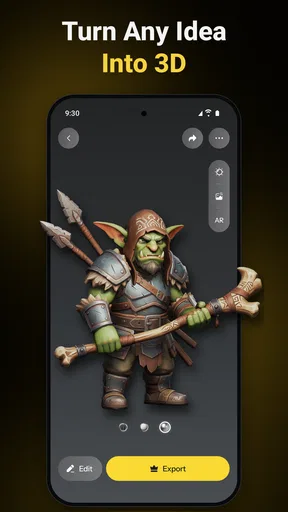
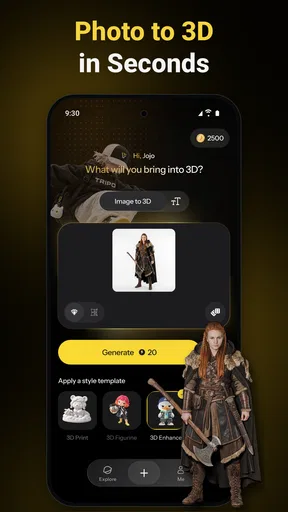
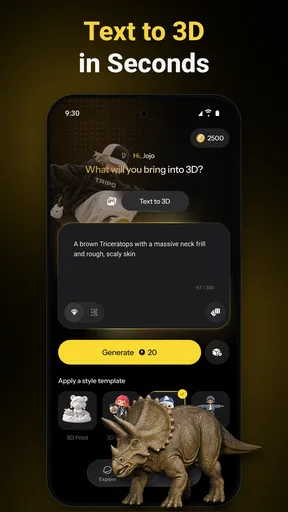
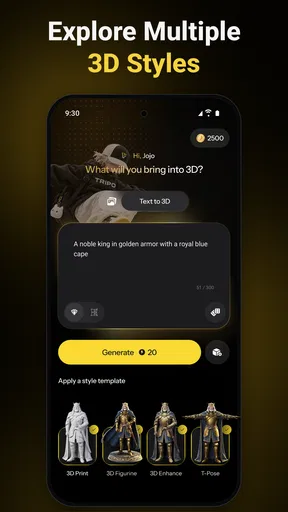
 Analysis by AppCompare
Ever dreamt of creating stunning 3D models without having to spend years mastering complex software? Well, let me introduce you to Tripo - AI 3D Modeler, your new best friend in the digital art world. This nifty app is like having a pocket-sized artist studio, powered by AI, right on your smartphone. I’ve spent a good chunk of time tinkering around with it, and let me tell you, it’s quite the game changer!
Getting Started with Tripo
Diving into Tripo - AI 3D Modeler is as smooth as butter. The app’s interface is super intuitive, making it a breeze even for beginners. When you first open the app, you’ll be greeted with a clean, user-friendly dashboard. It’s designed to let you either start from scratch or use one of their myriad templates. Trust me, if you’re anything like me and sometimes struggle with a blank canvas, those templates are a lifesaver!
Creating Your Masterpiece
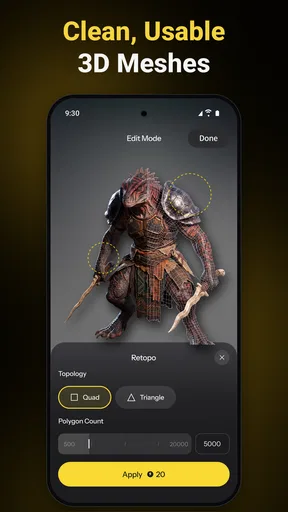
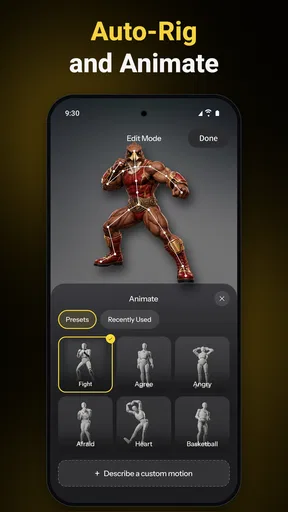
Once you pick a template or start a new project, the fun really begins. The app’s AI capabilities are pretty impressive. You can manipulate shapes, textures, and colors with just a few taps. It’s almost like having a magic wand for 3D modeling. And for those who love details, the precision tools are spot on. I found myself spending hours tweaking my models to perfection.
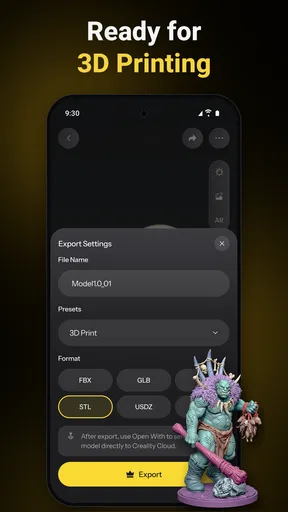
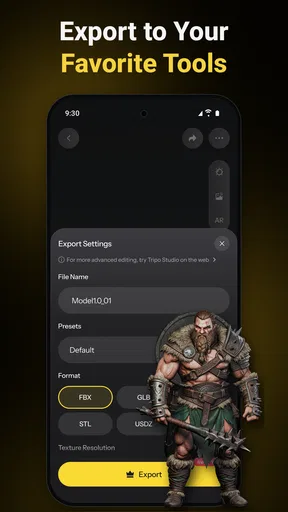
One feature that blew me away was the real-time rendering. As you make changes, you can see how your model will look in different lighting and environments. This is a huge boon for anyone wanting to create realistic models without any guesswork. Plus, the ability to export your creations in various formats is a neat touch, ensuring your art is ready to showcase anywhere.
Why Tripo Stands Out
Alright, let’s talk about why this app stands head and shoulders above the rest. Firstly, the AI-driven automation reduces the learning curve significantly. I’ve tried a few 3D modeling apps before, and they often left me frustrated. But with Tripo, it feels like the app is guiding you, rather than you struggling to navigate it.
Another standout feature is the community aspect. Within the app, there’s a vibrant community of creators sharing their projects. It’s like a social network for 3D artists. You can share your own models, get feedback, and even collaborate with others. This feature is fantastic for both learning and inspiration.
Worth Reading Before You Choose

EA SPORTS FC Mobile 26 Is a Bigger Football Game, but It Takes Time

Flipboard Shows What News Apps Must Do Beyond the Feed

Switching to Android Auto Means Rethinking Your Driving Routine

Google Calendar Makes a Crowded Week Easier to Manage

Ludo King Makes the Most of the Minutes Between Plans

Baby Panda World Brings Quick Play to Modern Phones, but Its Game Library Feels Busy
And let’s not forget the regular updates. The developers seem committed to enhancing the user experience, frequently rolling out new features and improvements. It’s always nice to know the app you’re using will keep evolving and get better with time.
Things to Keep in Mind
Now, while I’m singing praises, it’s worth mentioning that the app does have a bit of a learning curve, especially if you’re entirely new to 3D modeling. But honestly, with a little patience and practice, you’ll find yourself crafting models like a pro in no time.
Also, though the app offers a free version, some of the more advanced features are locked behind a paywall. If you’re serious about diving deep into 3D modeling, it might be worth considering the premium version. It’s packed with additional templates, tools, and export options that are definitely worth the price if you’re a regular user.
The Final Verdict
To wrap things up, Tripo - AI 3D Modeler is a powerhouse of an app that’s perfect for both budding and experienced digital artists. Its ease of use, combined with powerful features and a supportive community, makes it a must-have for anyone interested in 3D modeling. Whether you’re creating for fun or looking to add a professional touch to your projects, Tripo has got you covered.
So, if you’re ready to unleash your inner artist and create some dazzling 3D models, give Tripo a whirl. You won’t be disappointed!
Pros
- Intuitive interface for easy modeling
- Wide range of 3D tools available
- Real-time collaboration feature
- Supports multiple file formats
- Great customer support and tutorials
Cons
- Requires a stable internet connection
- Limited free version features
- High system requirements
- Occasional lag during rendering
- No offline mode available
FAQs for Tripo - AI 3D Model Generator
What is Tripo - AI 3D Modeler, and how does it work?
Tripo - AI 3D Modeler is an innovative app designed for both Android and iOS platforms that allows users to create and manipulate 3D models using AI technology. The app offers a user-friendly interface, making it accessible for beginners and experts alike. Using AI algorithms, Tripo simplifies the modeling process, enabling users to generate detailed 3D designs efficiently.
Is Tripo - AI 3D Modeler suitable for beginners?
Yes, Tripo - AI 3D Modeler is suitable for users of all skill levels. The app features an intuitive interface with tutorials and guided steps to help beginners understand the basics of 3D modeling. For more advanced users, it offers a range of sophisticated tools to create complex models, making it a versatile solution for various needs.
What types of projects can I create with Tripo - AI 3D Modeler?
With Tripo - AI 3D Modeler, users can create a wide variety of projects, from simple shapes to intricate designs. The app is ideal for hobbyists looking to explore 3D modeling, educators teaching design concepts, and professionals in fields like architecture, game design, and product development, offering flexibility and creativity in project creation.
Does Tripo - AI 3D Modeler require an internet connection to function?
While Tripo - AI 3D Modeler can perform basic functions offline, an internet connection enhances its capabilities, especially for accessing cloud features, downloading updates, and integrating with AI-driven tools. To fully utilize all features, including collaboration tools and cloud storage, a stable internet connection is recommended.
What are the system requirements for installing Tripo - AI 3D Modeler on my device?
Tripo - AI 3D Modeler requires a device running at least Android 8.0 or iOS 12.0. The app is optimized for devices with at least 4GB of RAM to ensure smooth performance, especially when handling complex models. Sufficient storage space is also necessary for saving projects and updates. Check your device compatibility before downloading.


